
Keep Prices Confidential: How to Hide Dollar Values on Your ABSS Delivery Orders

Your Packers Need to Know "How Many," Not "How Much"
In a busy warehouse, information needs to be precise. Your logistics team needs to know what to pack and where to send it. They do not need to see your profit margins, customer pricing tiers, or discounts.
Leaving price columns visible on a Delivery Order (DO) can lead to:
Unnecessary Chatter: Staff discussing sensitive pricing.
Competitor Risk: Third-party couriers seeing your rates.
Customer Confusion: A receiver signing a document with a different price than the Purchase Order.
At Apscom Solutions, we recommend a clean, "Quantity-Only" DO for all logistics operations. Here is how to remove the price columns from your ABSS (MYOB) forms in just a few clicks.
The 5-Minute Fix: Customising Your Form
You don't need to be an IT expert to do this. ABSS has a built-in form designer that works just like a drag-and-drop editor.
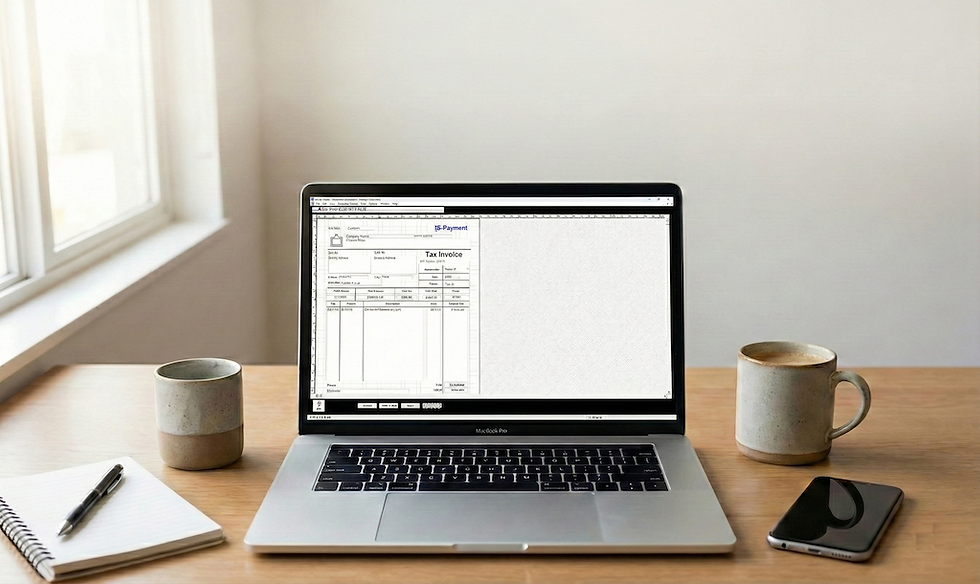
Step 1: Open the Form Designer
Go to Setup > Customise Forms.
Click on Invoices and select Item layout (since DOs are usually based on Item layouts).
Select your current template (e.g., "Delivery Order") and click Customise.
Step 2: Delete the "Money" Columns You will see a visual representation of your paper form.
Locate the column headers labeled Unit Price and Total (or Extended Price).
Click on the header text box to select it, then press Delete on your keyboard.
Do the same for the data columns underneath them (the gray boxes).
Crucial Step: Scroll to the bottom and delete the Subtotal, GST, and Total Amount fields in the footer.
Step 3: Close the Gap Now you have a large empty white space on the right side of your form. Let's make it look professional.
Click on the Description column (both the header and the data box).
Drag the right edge of the box to stretch it out and fill the empty space.
Now your item descriptions have more room, which is actually easier for your packers to read!
Step 4: Save As a New Template
Click Save Form.
Do not overwrite your original Invoice!
Save it with a clear name: "Delivery Order - NO PRICE".
The Result: A Pure Logistics Document
Your Delivery Order is now strictly an operational document. It focuses 100% on fulfillment and 0% on finance. It’s cleaner, safer, and more professional.
Messy lines? Form looking weird?
If you deleted something by accident or can't get the columns to line up, don't worry. Contact the Apscom Solutions. We can remotely log in and design a perfect, price-masked Delivery Order for you in minutes.


